


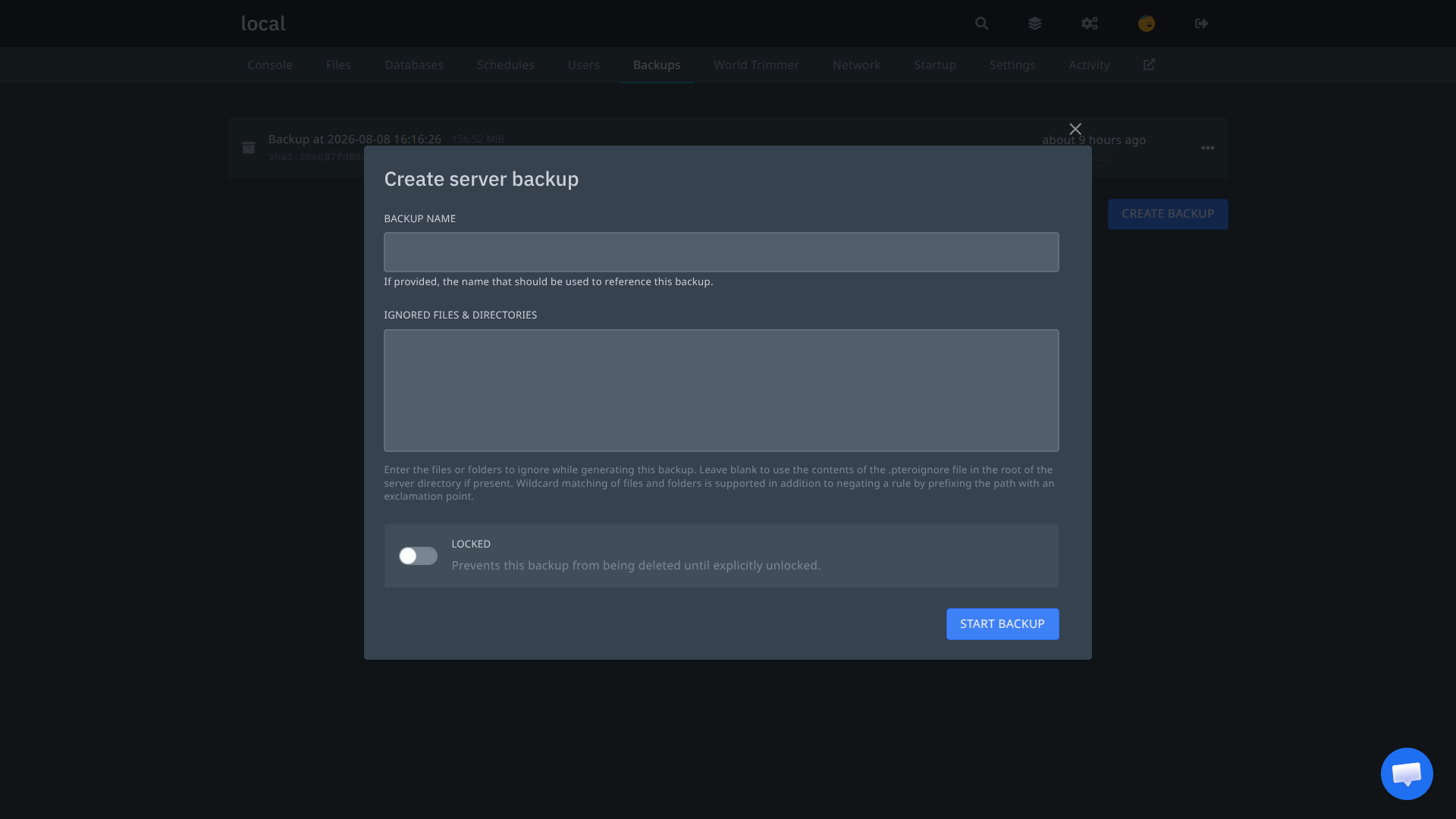
every pterodactyl user hits this eventually: you want a backup, but not the 4gb of logs, the cache folder and that world download from 2023. the panel’s answer is a textarea called “ignored files and directories” where you type paths by hand and hope you spelled them right.
the manual way
pterodactyl reads ignore rules in two places: whatever you type into that textarea when creating the backup, or a .pteroignore file in the root of your server. syntax is gitignore style:
logs/*
cache
*.log
!important.log
wildcards work, and prefixing a path with ! negates the rule. it does the job, but you need to know your paths, know the syntax, and one typo means the rule silently does nothing. your backup is 4gb again and you find out later.
this is what you get, an empty box and a prayer:
the easy way
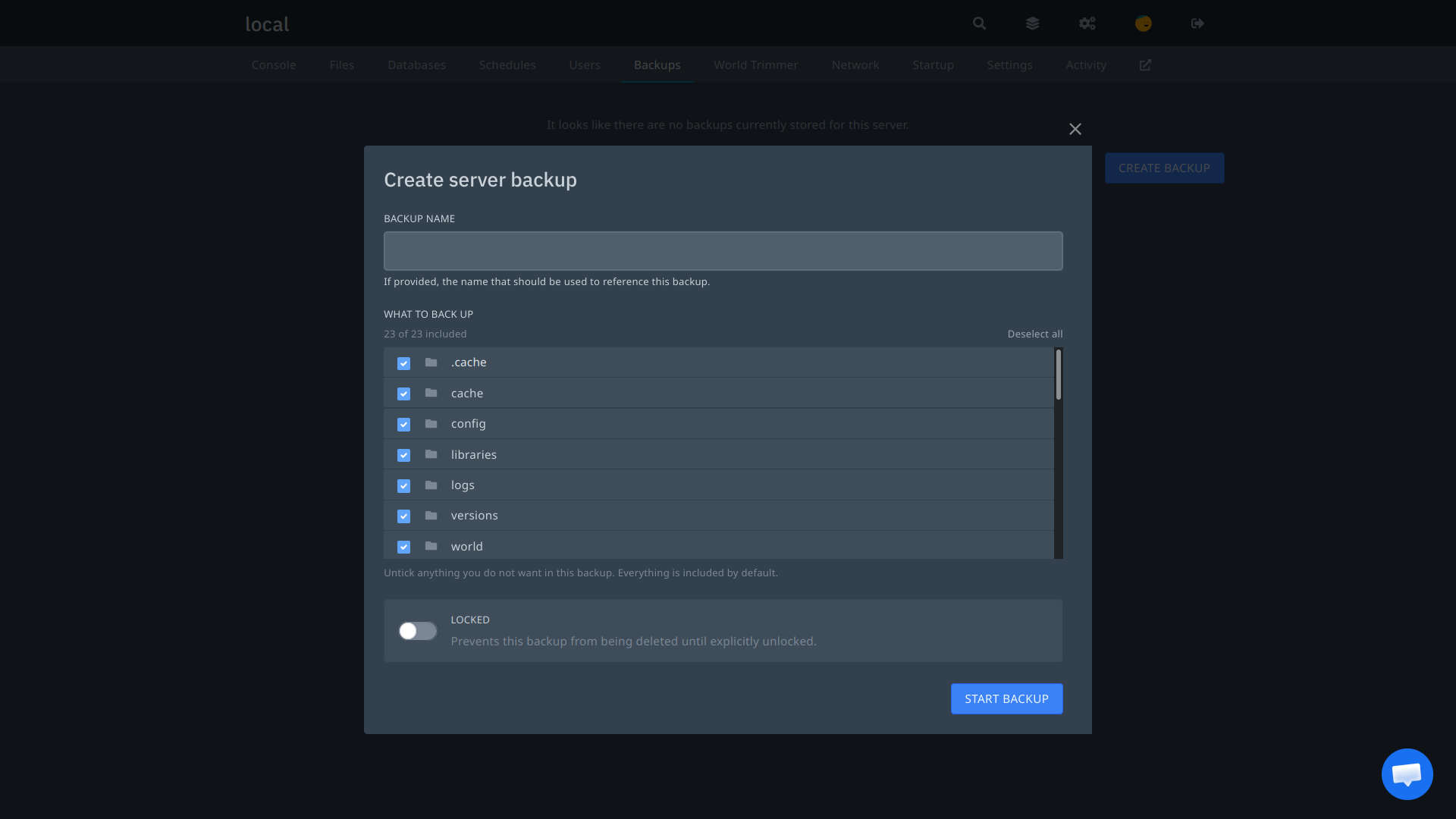
i got tired of this, so i built a small addon: it replaces the textarea with an actual file tree of your server. everything is ticked by default, you untick what you do not want, and it writes the ignore list for you. no syntax, no typos, only real paths you can see.
same dialog, after:
code is here: github.com/wrrfsub/IgnoreFile-Pterodactyl
installing it
stock panel is two files and a rebuild:
- upload
BackupFilePicker.tsxtoresources/scripts/components/server/backups/ - replace
CreateBackupButton.tsxin the same folder - rebuild:
cd /var/www/pterodactyl
yarn install && yarn build:production
chown -R www-data:www-data /var/www/pterodactyl/*
hard refresh the panel and the create backup dialog now shows “what to back up” with checkboxes.
manual install for custom themes
running blueprint, enigma, stellar or your own fork that already modified CreateBackupButton.tsx? do not overwrite it. BackupFilePicker.tsx is a brand new file and never conflicts, so upload it normally. then make four small edits to your own CreateBackupButton.tsx and keep everything else as it is.
add the import at the top:
import BackupFilePicker from '@/components/server/backups/BackupFilePicker';pull setFieldValue out of formik, so this line:
const { isSubmitting } = useFormikContext<Values>();becomes:
const { isSubmitting, setFieldValue } = useFormikContext<Values>();if your theme uses a <Formik> render prop instead, grab setFieldValue from wherever your file already exposes formik helpers.
then find the block that renders the ignore textarea and replace it with:
<FormikFieldWrapper
    name={'ignored'}
    label={'What to back up'}
    description={'Untick anything you do not want in this backup. Everything is included by default.'}
>
    <BackupFilePicker onChange={(ignored) => setFieldValue('ignored', ignored)} />
</FormikFieldWrapper>
your theme’s wording or wrapper may differ. the only part that matters is that <BackupFilePicker onChange={...} /> replaces the textarea and writes to the ignored value.
last, remove the now unused Textarea import (and Field as FormikField if nothing else uses it), then rebuild with the same commands as above. stuck? ask in the discord.
the result
users untick a folder, it stays out of the backup. leave everything ticked and it behaves exactly like a stock full backup. the .pteroignore fallback and the api keep working since it writes to the same ignored field the panel already uses.
backups people actually control, without teaching anyone ignore syntax. that is the whole point.